Free tool · Substitute Teacher Pay Tracker
Substitute teacher pay calculator
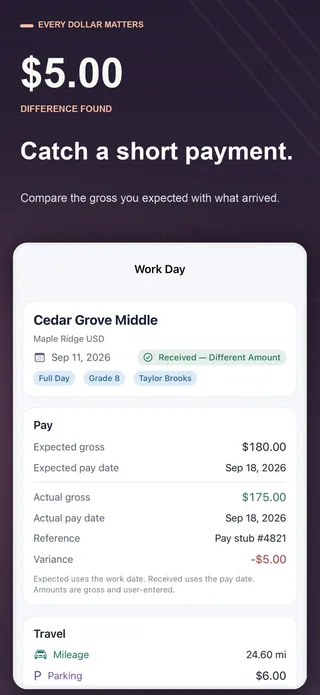
Add up what each assignment should pay: the full-day or half-day amount the district quotes, or hourly rate × hours rounded to the cent once (22.75 × 6.5 = 147.88). Then subtract what has arrived. Whatever is left is still owed, and any unpaid day past its expected pay date is overdue. A 175.00 payment for a 180.00 day is −5.00.

Substitute Teacher Pay Tracker
Every sub day, what each school owes you and your mileage
Free to download for iPhone, iPad and Android.
Enter up to five days from one pay period. Gross amounts only; dates as on your district’s schedule. Nothing you enter leaves your browser.
Sample days: 602.88 expected gross. Turn on JavaScript to see what is still owed and overdue.
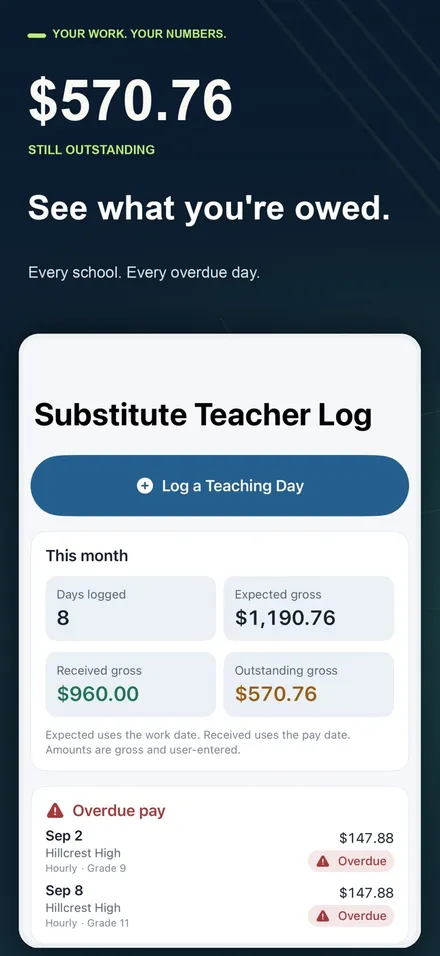
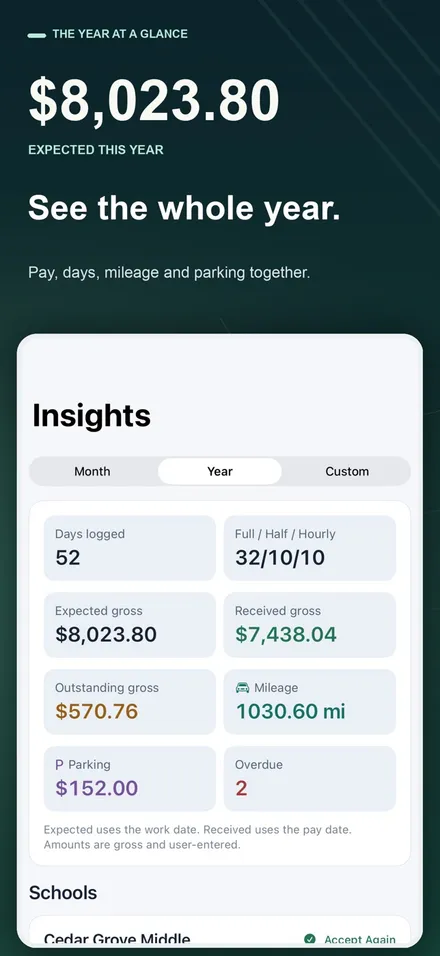
Substitute Teacher Pay Tracker keeps every day of the year this way, reminds you on payday, settles a whole pay statement at once and totals the year with mileage and parking.
Everything in the app
- Every work day and every school, with what is owed and overdue at a glance
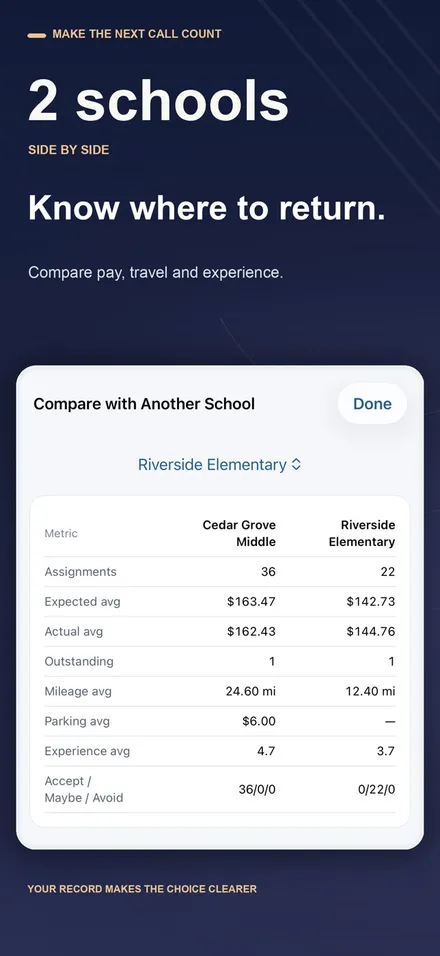
- Year totals, custom date ranges and a side-by-side view of every school
- Settling a whole pay period at once, and CSV export for tax time
- Mileage and parking with each day
- Private: no account and no cloud
Why substitute pay is hard to check
A classroom teacher gets the same salary on the same day each month. A substitute works a different school almost every day, sometimes for two districts or an agency at once, at full-day, half-day and hourly rates, and is paid weeks later in one lump sum. The pay statement rarely lists the days it covers in a way that is easy to match. So the only reliable way to know whether you were paid for everything is to keep your own list of what each day should pay and when, then tick the days off as the money arrives.
The calculator above does that for one pay period. Enter each assignment, the amount it should pay and the date payroll told you to expect it. As payments arrive, type the gross shown for each day. It totals what you expected, what you received and what is still owed, marks any unpaid day past its pay date as overdue, and shows the difference on any day that arrived short or over.
The rules the calculator follows
- Full and half days are the amounts quoted. A half day is the district’s half-day amount, which is not always half of a full day.
- Hourly pay rounds once. Rate × hours is rounded to the cent a single time: 22.75 × 6.5 = 147.875, which becomes 147.88.
- Every cent counts. Received minus expected is shown exactly; a one-cent difference is still a difference.
- Overdue means past the date. An unpaid day is overdue only after its expected pay date; on the date itself it is due today.
These are the same rules Substitute Teacher Pay Tracker uses for every day you log, so the numbers here match what the app would show.
What to do when a payment is short or missing
Write down the dates, schools and assignment types of the days in question, the amount you expected for each and what arrived, then contact the payroll office or agency that pays you. A list that shows each day separately is much easier for them to trace than a total. If several days are missing from one statement, they may simply have landed in the next pay period; keep them marked as owed until the money shows up, rather than deleting them.
Mileage and parking are worth recording on the same list. This calculator leaves them out to stay simple, but the app keeps miles (as a total or from the odometer) and parking with each day and exports them in a spreadsheet-ready file.
Questions people ask
How do I calculate substitute teacher pay?
For a full or half day, the expected gross is simply the amount the district quotes for that assignment. For hourly assignments, multiply the rate by the hours and round to the cent once: 22.75 × 6.5 hours is 147.88. Add the days in a pay period to know what the statement should show.
Is a half day half of the full-day rate?
Not necessarily. Many districts publish a separate half-day amount, and it may be more or less than half the full day. Use the amount the district quotes for that assignment, never the full day divided by two.
How do I know if I was underpaid?
Compare each day’s expected gross with what the pay statement shows for it. A 180.00 day that arrives as 175.00 is −5.00, and even a one-cent difference is worth asking about. Keep the date, school and assignment type so payroll can find the day.
When is substitute pay overdue?
When the date you were told to expect it has passed and the money has not arrived. Pay schedules vary by district and agency, so note the expected pay date for each day when you accept it. On the pay date itself it is due, not yet overdue.
Does this calculate taxes or take-home pay?
No. It works in gross amounts only, like the Substitute Teacher Pay Tracker app. Withholding, deductions and net pay depend on your situation; ask your district’s payroll office or a tax professional.
