ABA data collection app
ABA Data Collection: RBT & SLP
Fast ABA session data with big buttons
Or scan with your phone’s camera.
 iPhone and iPad
 Android
ABA Data Collection: RBT & SLP is an offline session data app for RBTs, SLPAs and behavior technicians on iPhone, iPad and Android. Tap through seven measurement methods with large buttons, then hand your supervisor a per-client progress report with charts. Records stay encrypted on the device.
- iPhone, iPad and Android
- Works offline
- No account
- Encrypted on the device
- English and Spanish
What you can do with ABA Data Collection: RBT & SLP
Start each client in one tap
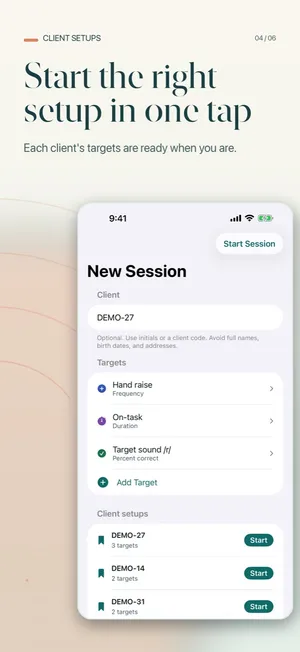
Save a client setup once, with the client code, targets and interval cadence. Next time, tap Start beside the client and collect right away.
- Repeat your last setup for a back-to-back session
- Up to 24 targets in one session
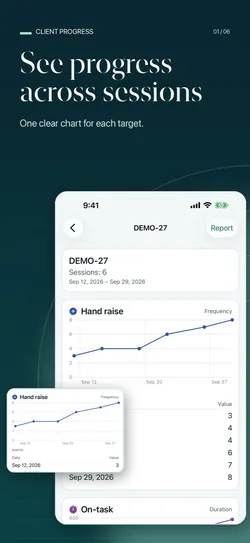
A progress chart for every client
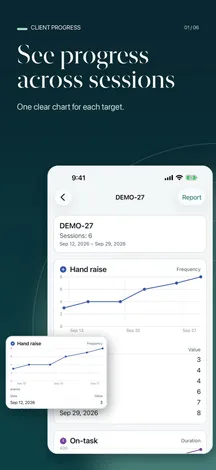
Each client gets a chart built from the sessions you recorded, target by target, with the value table underneath, so a trend is visible before the supervisor asks.
- Only the values you recorded, never an interpretation
A progress report your supervisor can read
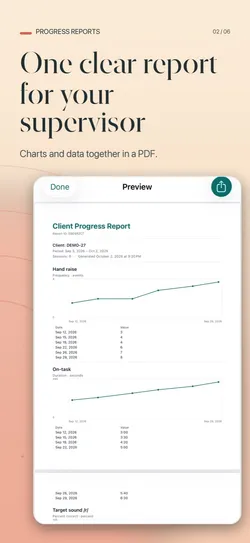
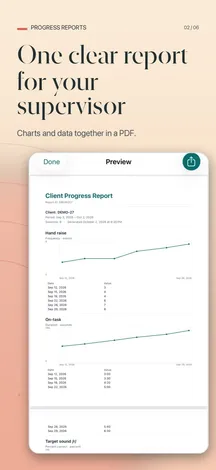
One PDF or CSV per client for the last 7 days, the last 30 days or all sessions, with a line chart and a date-value table for every target and your name and organization at the top.
- Percentages always shown with their numerator and denominator
- Privacy-safe by default: no client ID, generic target names
Seven measurement methods, big buttons
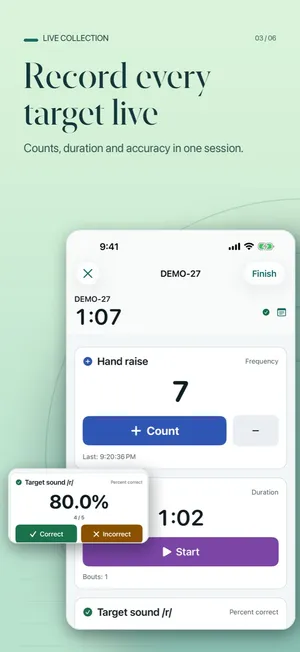
Frequency, duration, latency, percent correct, whole interval, partial interval and momentary time sampling, with undo and corrections while you collect.
- Interval methods share one cadence, 5 seconds to 60 minutes
- An interrupted session is recovered automatically
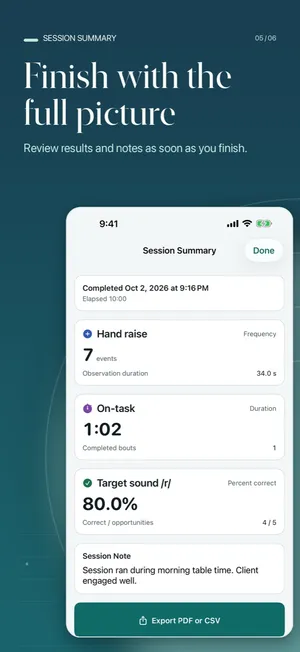
A clean summary the moment you finish
The session summary shows every target with its counts, bouts or percentage and your note, ready to export as a PDF or CSV with time-stamped raw observations.
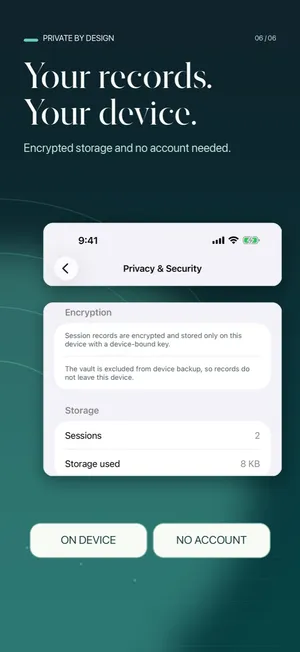
Private and offline
No account and no connection needed. Records are encrypted with a device-bound key, stored only on the device and excluded from backup.
- Optional app lock with biometrics or the device screen lock
Everything in the app
Seven measurement methods, several targets at once
- Frequency count with time-stamped events
- Duration with multiple start/stop bouts
- Latency from cue to response
- Percent correct with correct and incorrect opportunities
- Whole interval, partial interval and momentary time sampling on one shared cadence (5 seconds to 60 minutes)
- Up to 24 targets in one session, large buttons, undo and corrections during collection
- Automatic recovery of an active session if you are interrupted
Client progress and reports
- A progress chart for each client, built from the sessions you recorded
- One PDF or CSV report per client for the last 7 days, the last 30 days or all sessions
- Percentages always shown with their numerator and denominator
- A session summary with notes as soon as you finish, with PDF or CSV export
Start each client in one tap
- Save a client setup with the client ID, targets and interval cadence
- Tap Start next to a client and collect right away, or repeat your last setup
Private by design
- No account and no internet connection needed
- Records encrypted and stored only on the device, excluded from device backup
- Privacy-safe exports by default: no client ID, generic target names
- Optional app lock with biometric or device screen lock; app-switcher and screen-capture shields
Who is it for?
- RBTs and behavior technicians working in homes, schools, early intervention and clinics
- SLPAs who score correct and incorrect trials and report percentages to their SLP
- Practitioners who need data without Wi-Fi and without an account
- Anyone who must hand a supervisor one clear report per client
What makes it different?
Works with no connection
Sessions run on iPhone, iPad and Android without Wi-Fi. There is no account, cloud sync, ads or analytics; encrypted session records stay on the device.
Numbers you can check
Percent correct is correct ÷ (correct + incorrect) × 100 and shows both counts. Interval percentages leave unscored intervals out of the denominator and list how many there were. Zero opportunities is “no data”, never 0%.
Honest latency and interval timing
Mean latency uses completed trials only; a cue still waiting at the end is listed as incomplete. A momentary sample scored more than 5 seconds after the sample moment is flagged as late.
Made for one practitioner
No practice-management system to set up: start a session, tap, finish, and export a session or a client’s report for your supervisor.
Free tools and guides
Requirements
- Devices
- iPhone, iPad and Android devices
- Operating system
- iOS 17.0 or later; Android
- Languages
- English and Spanish
- Account and internet
- Neither needed
- iOS version
- 1.1.2 · October 28, 2026
iOS: Neobile LLC · Android: KITEBLOOM LLC
The iOS app is published by Neobile LLC; the Android app is published by KITEBLOOM LLC. This tool records the observations you enter. It does not diagnose, interpret, recommend, or establish mastery; progress charts show only the values you recorded. It is an independent tool with no affiliation to any credentialing organization. Use it under your supervisor’s direction and follow your organization’s requirements.
Questions people ask
Does it work without internet?
Yes. The app needs no account and no connection. Sessions are recorded, summarized and exported on the device, so a basement clinic room or a home without Wi-Fi makes no difference.
Which data collection methods does it support?
Frequency, duration, latency, percent correct, whole interval, partial interval and momentary time sampling, with up to 24 targets in one session. It does not record ABC data, task analysis or prompt levels.
Does it calculate a rate per minute?
Not directly. The frequency summary shows the count and the time between the first and last tap, and the elapsed session time is on the summary. To report a rate, divide the count by the minutes you observed, as your plan defines them.
How are missed intervals handled?
An interval you did not score, including any that passed while the app was in the background, is marked unscored. It is left out of the denominator, and the number of unscored intervals is shown next to the percentage.
Is the app HIPAA compliant?
Neither publisher describes it as HIPAA compliant, and no app makes you compliant on its own. Records are encrypted, stored only on the device and never sent to a publisher server. Whether you may use a separate device for session data is your employer’s decision.
How do I give my supervisor the data?
Export a session as a PDF or a CSV with the summary and time-stamped raw observations, or a per-client progress report for the last 7 days, the last 30 days or all sessions. Exports leave out the client ID and use generic target names by default.
What does the supervisor report include?
One PDF or CSV per client for the last 7 days, the last 30 days or all sessions: a line chart and a date-value table for every target, percentages with their numerator and denominator, and your name and organization at the top. A sample client shows a finished report before your first session.


