Printables · seven methods · US Letter
Free printable ABA data sheets (PDF)
Seven free one-page ABA data sheets: frequency and rate, duration, latency, percent correct, whole interval, partial interval and momentary time sampling. Each sheet has header fields for a client code, the target’s definition, a recording grid and a summary box that prints its own formula, so the session result is ready for your supervisor.
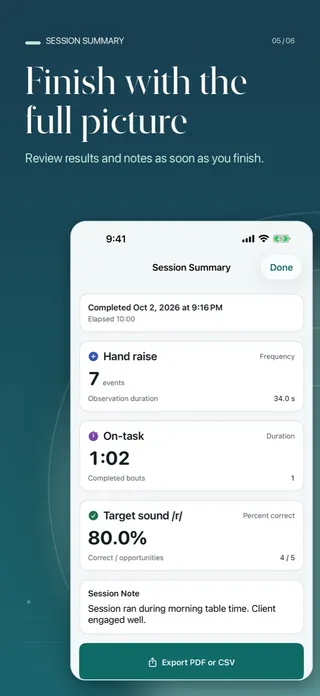
These sheets and the app record the observations you enter. They do not diagnose, interpret, recommend, or establish mastery. Use them under your supervisor’s direction and follow your organization’s requirements.
Which ABA data sheets are here?
One sheet per measurement method our app supports. Every sheet shares the same header (client code, date, observer, setting, start and end time) and a box for the target and its operational definition, copied word for word from the plan. Below the grid, a summary box shows the formula, and a short session note closes the page.
- Frequency and rate
- Duration
- Latency
- Percent correct
- Whole interval
- Partial interval
- Momentary time sampling
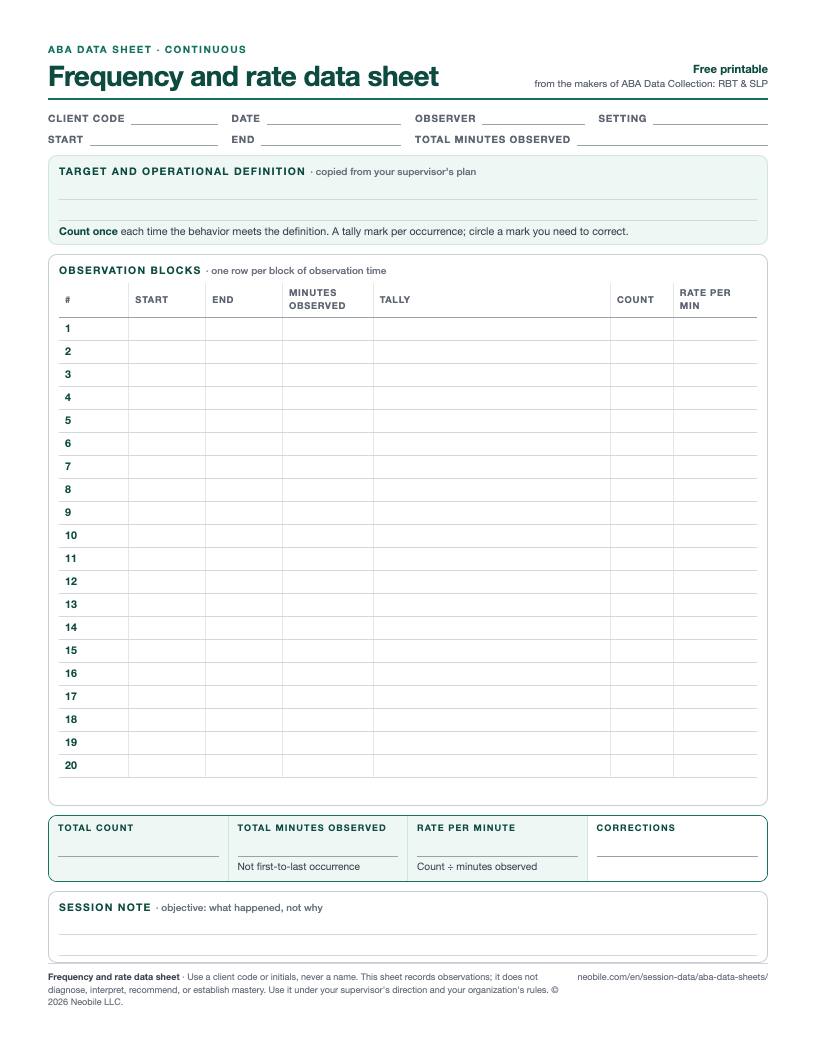
How do I use the frequency data sheet?
Each row is one block of observation time. Write the start and end, make a tally mark every time the behavior meets the definition, and total the row when the block ends. Circle a mark you need to take back rather than erasing it, so the record shows the correction.
How is the summary calculated?
Rate per minute = total count ÷ total minutes observedBlocks of 10, 10 and 5 minutes with 4, 6 and 1 occurrences11 ÷ 25 = 0.44 per minute
Use the minutes you actually observed, not the stretch between the first and last occurrence.
Download the frequency sheet (PDF)Skip the clipboard: in the app, each Count tap is time-stamped, the minus button voids the last one, and the summary shows the count with the elapsed session time.
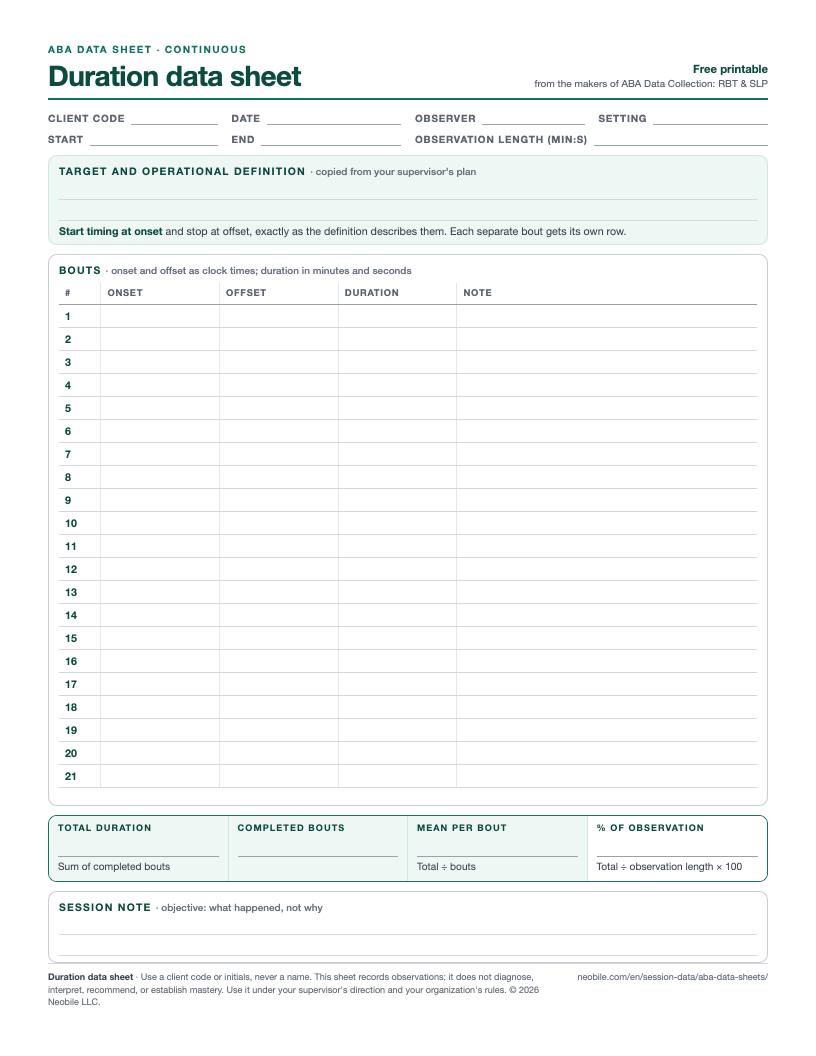
How do I use the duration data sheet?
Write the clock time at onset and at offset for each bout, exactly where the definition puts them, and the length in minutes and seconds. A behavior that stops and starts again is a new bout on a new row. Note the total observation length in the header.
How is the summary calculated?
Total = sum of completed bouts · mean per bout = total ÷ bouts · share = total ÷ observation × 100Bouts of 2:10, 0:45 and 1:35 in a 15-minute observation270 s total · 90 s mean · 30% of the observation
Skip the clipboard: the app times several bouts per target with Start and Stop, can run timers for several targets at once, and stops any open bout when you finish the session.
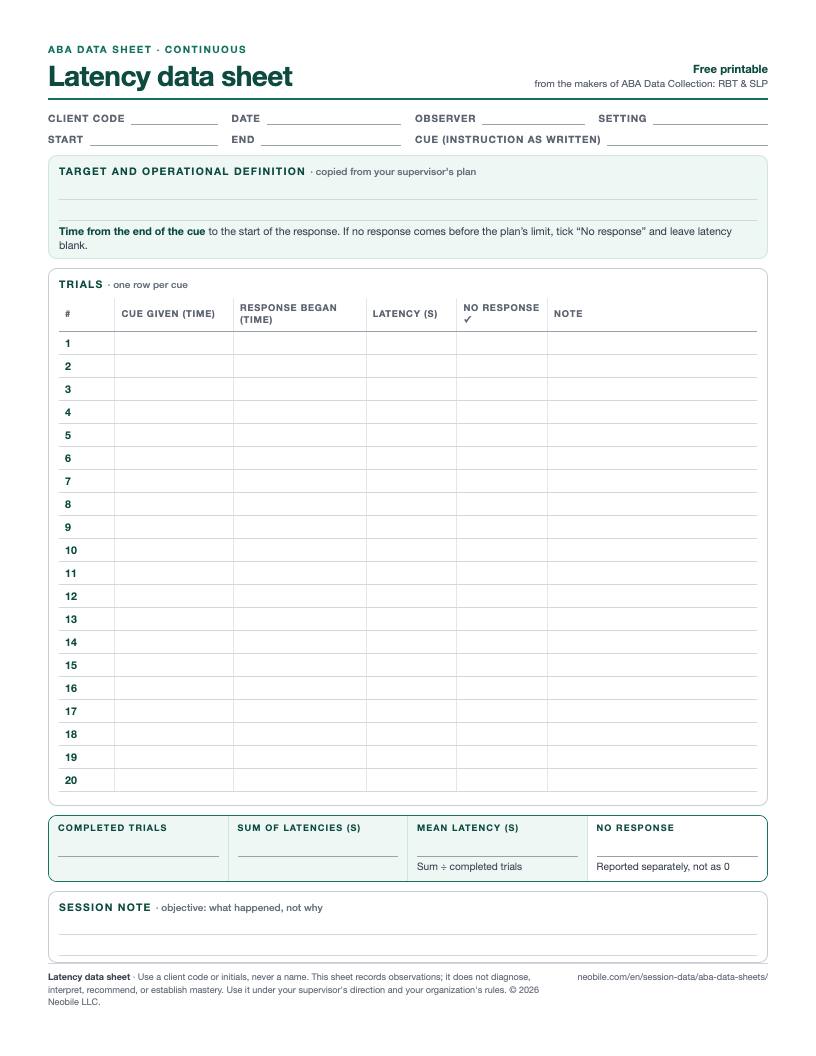
How do I use the latency data sheet?
Write the instruction once in the header. For each trial, note when the cue ended and when the response began; the difference is the latency. If no response comes within the limit your plan sets, tick “No response” and leave the latency blank instead of writing a guess.
How is the summary calculated?
Mean latency = sum of latencies ÷ completed trials (no-response trials reported separately)Six cues: 3, 5, 2, 8 and 4 seconds, plus one with no response22 ÷ 5 = 4.4 s mean; 1 no response
Skip the clipboard: tap Present Cue, then Response; the app averages completed trials only and lists a cue still waiting at the end of the session as incomplete.
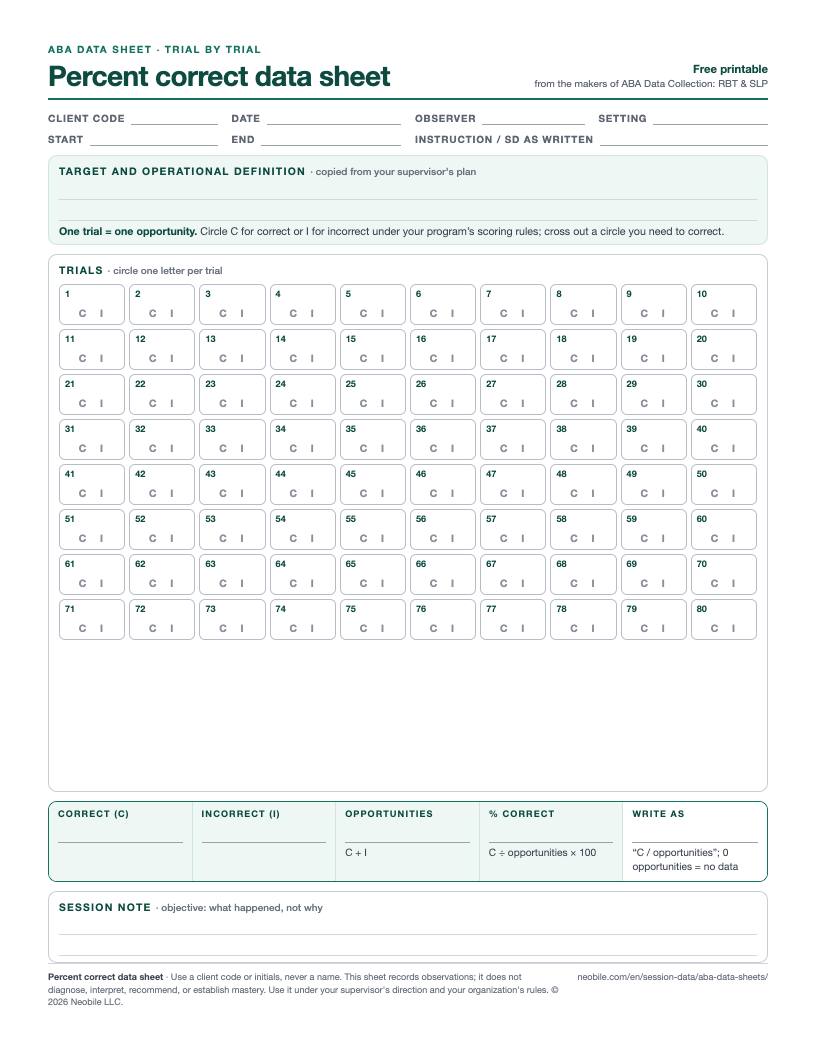
How do I use the percent correct data sheet?
One box per learning opportunity. Circle C for correct or I for incorrect under your program’s scoring rules, in order. Write the instruction or discriminative stimulus in the header so anyone reading the sheet knows what was asked.
How is the summary calculated?
% correct = correct ÷ (correct + incorrect) × 10013 correct and 7 incorrect13 ÷ 20 × 100 = 65% (write “13 / 20”)
Always keep the fraction next to the percentage, and if a target had no opportunities, write “no data”, not 0%.
Download the percent correct sheet (PDF)Skip the clipboard: two big buttons, Correct and Incorrect, with undo; the result always appears as a percentage with its numerator and denominator.
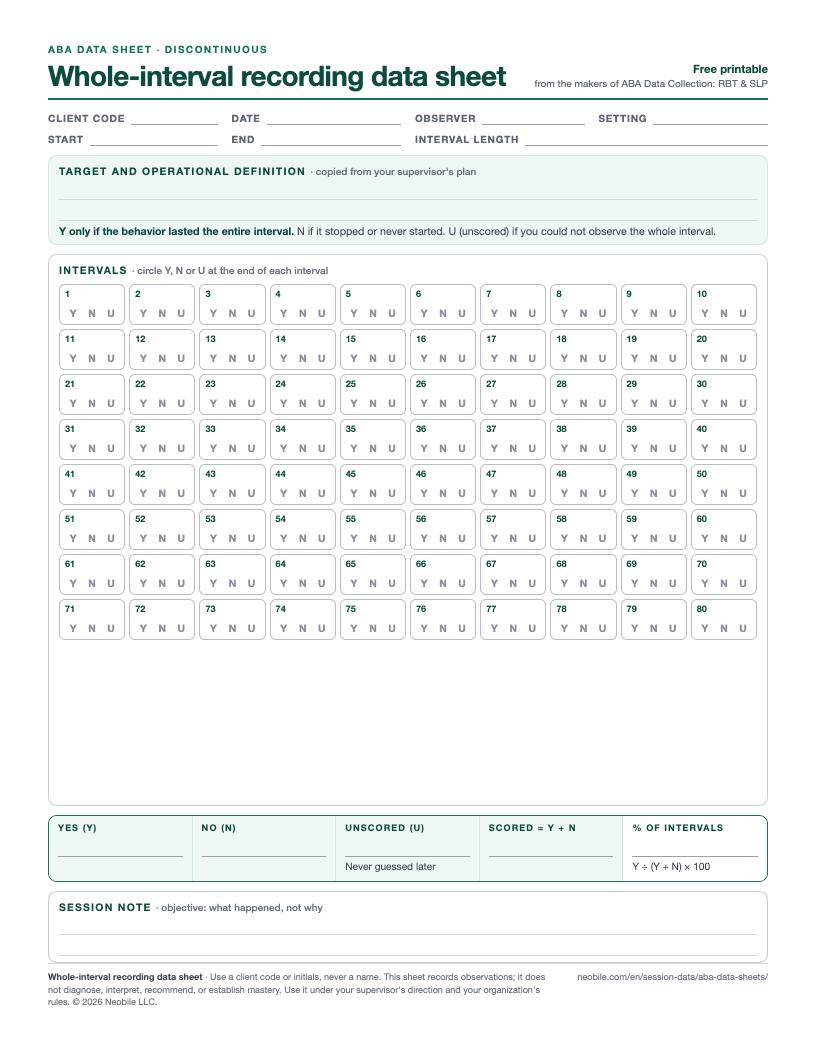
How do I use the whole-interval data sheet?
Set a timer for the interval length in the header. At the end of each interval, circle Y only if the behavior lasted the entire interval, N if it stopped or never started, and U if you could not watch the whole interval, for example while you were prompting.
How is the summary calculated?
% of intervals = Y ÷ (Y + N) × 100 · unscored counted separately40 intervals of 15 s: 22 Y, 14 N, 4 U22 ÷ 36 = 61.1%; 4 unscored
Skip the clipboard: the app counts down each interval on a cadence from 5 seconds to 60 minutes and at every boundary asks for one tap: Whole interval or Not whole.
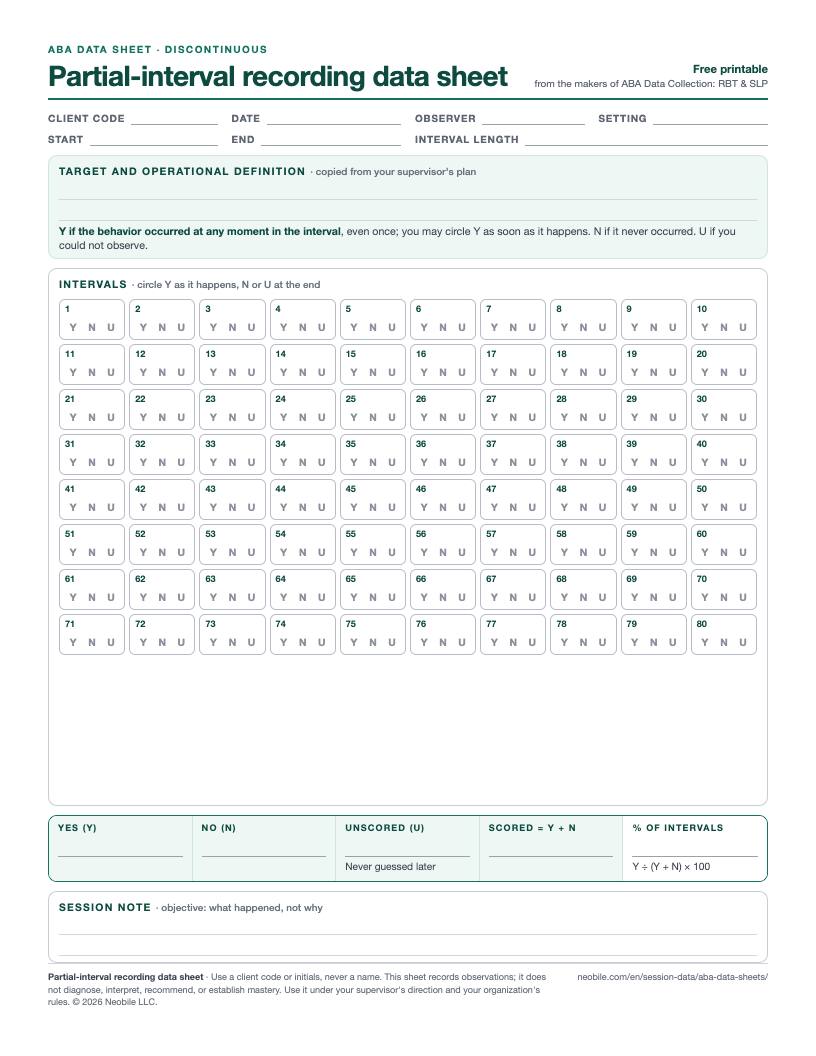
How do I use the partial-interval data sheet?
Same grid, different rule: circle Y as soon as the behavior occurs at any moment in the interval, even once, and stop watching for it until the next interval starts. Circle N at the end of an interval in which it never occurred, and U for one you could not observe.
How is the summary calculated?
% of intervals = Y ÷ (Y + N) × 100 · unscored counted separately30 intervals of 20 s: 9 Y, 19 N, 2 U9 ÷ 28 = 32.1%; 2 unscored
Skip the clipboard: mark the interval the moment the behavior happens; intervals that pass unanswered, even while the app is in the background, are kept as unscored and left out of the denominator.
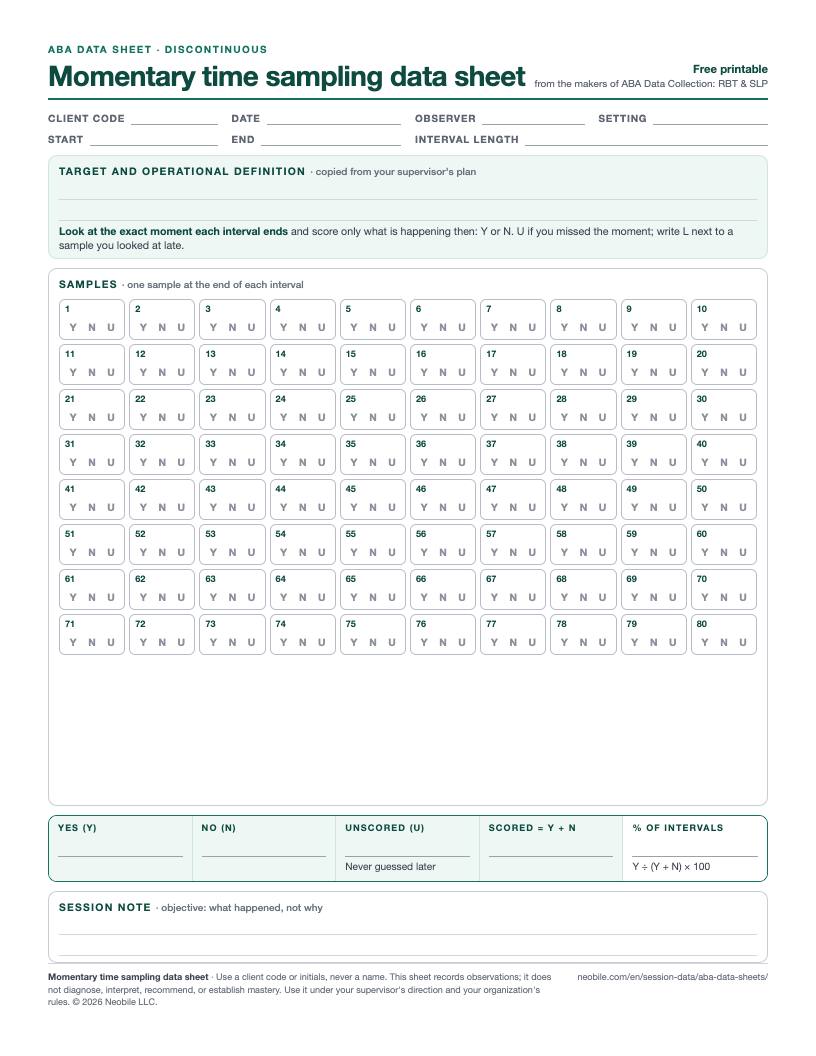
How do I use the momentary time sampling data sheet?
Look up at the exact moment each interval ends and score only what is happening then: Y or N. What happened in between does not count. If you missed the moment, circle U; if you looked a few seconds late, write L beside the box so your supervisor can judge the sample.
How is the summary calculated?
% of samples = Y ÷ (Y + N) × 100 · unscored and late samples reported20 samples every 30 s: 12 Y, 7 N, 1 U, 2 marked late12 ÷ 19 = 63.2%; 1 unscored, 2 late
Skip the clipboard: the app prompts at each sample moment with Occurring now or Not occurring, and flags any sample scored more than 5 seconds late, so late looks never pass silently.
Paper or app: what changes?
The numbers do not. The sheets above use the same rules as ABA Data Collection: RBT & SLP, so a session scored on paper and one scored in the app summarize identically. What changes is the bookkeeping. On paper you keep a timer running, count tally marks at the end and do the division yourself. In the app, several targets run side by side on one screen with large buttons, interval targets share one cadence with a countdown, undo is one tap, and the summary appears the moment you finish. Records stay encrypted on the device with no account, and a session or a client’s progress report exports as a PDF or CSV for your supervisor.
Questions people ask
Are these ABA data sheets free?
Yes. All seven PDFs are free to download, print and photocopy for your own sessions, your agency or your classroom. There is no sign-up. Each sheet is one US Letter page; on A4, print with “Fit to page”.
Why is there no ABC data sheet?
We only publish sheets for the methods our app records, so the paper sheet and the app give the same numbers. The app does not record antecedent-behavior-consequence data, so there is no ABC sheet here; ask your supervisor for the ABC form your team uses.
Which sheet should I use for a target?
The one your supervisor’s plan names. The BCBA or SLP chooses the method, the definition, the interval length and the scoring rules; the sheet only gives you a clean place to record what the plan asks for.
How do I count intervals I could not observe?
Circle U for unscored and leave them out of the denominator: the percentage is yes ÷ (yes + no) × 100. Report how many were unscored next to the percentage, and never fill one in from memory after the session.
Can I put a client’s name on the sheet?
Use a client code or initials instead, and leave out birth dates and addresses. A coded sheet is still confidential client information; store, transfer and destroy it the way your employer requires.
Can I record the same data on my phone?
If your employer allows it. ABA Data Collection: RBT & SLP records all seven methods with large buttons, keeps records encrypted on the device without an account, and calculates each summary the same way as these sheets.