
Water-damage drying app
Restoration Drying Calc
Psychrometry and moisture logs for water-damage drying
Restoration Drying Calc is for iPhone and iPad; there is no Android version.
Or scan with your phone’s camera.
 iPhone and iPad
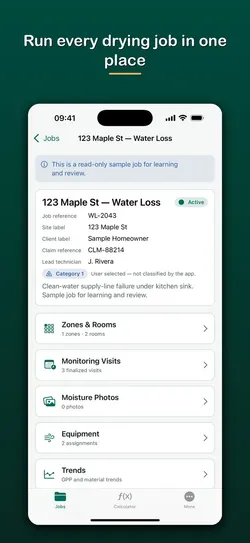
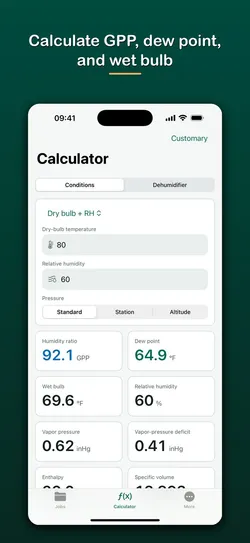
Restoration Drying Calc is an offline field notebook for water-restoration crews on iPhone and iPad. It works out GPP, dew point, wet bulb and vapor pressure deficit from the air readings, organizes each job into zones and rooms with daily moisture readings and photos, and exports a room-by-room drying report as PDF or CSV.
- iPhone and iPad
- Works offline
- No account
- Customary or metric
- Five languages
What you can do with Restoration Drying Calc
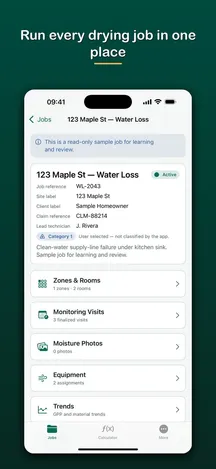
Run every drying job in one place
Each job keeps its reference, site, claim number and lead technician, with drying zones and rooms beneath it. Open any number of jobs, keep the finished ones in their history, and mark a job complete only when you decide it is.
- Active, completed and archived jobs, with search
- A sample job to learn on
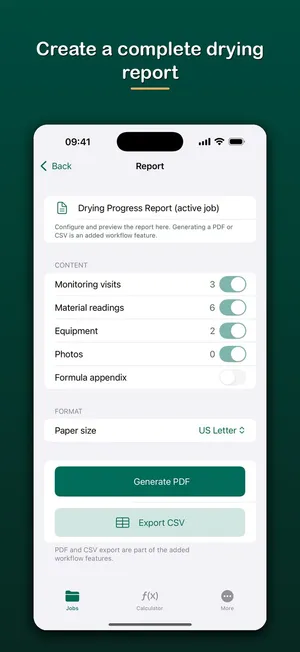
A room-by-room drying report to send
Choose what goes in, monitoring visits, material readings, equipment and photos, and export a PDF or CSV for the adjuster, the client or the office, with your company identity on it.
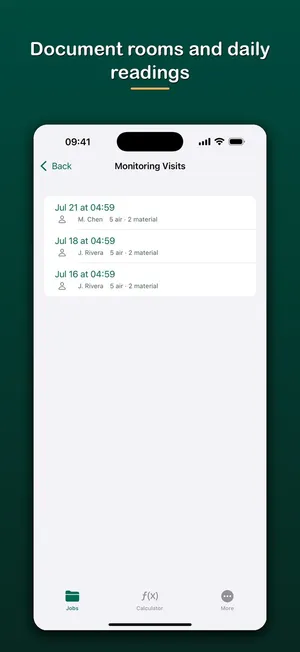
Daily readings that never copy yesterday’s numbers
A new monitoring visit reuses the rooms and moisture points of the last one, but every reading starts blank, so nothing measured yesterday shows up as today’s. Add moisture photos and notes as you go.
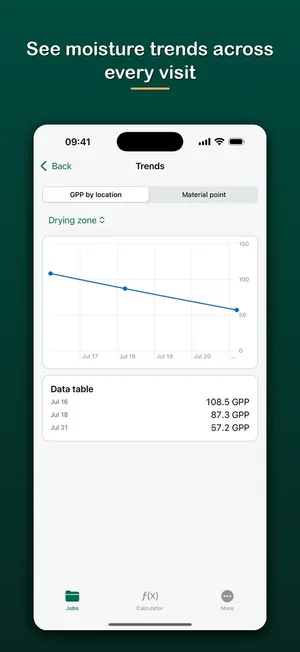
Trends across every visit
Follow GPP by location and each material point against the goal you set for it, visit by visit, with a data table under the chart.
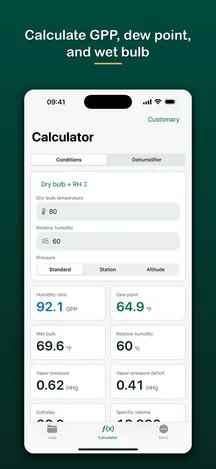
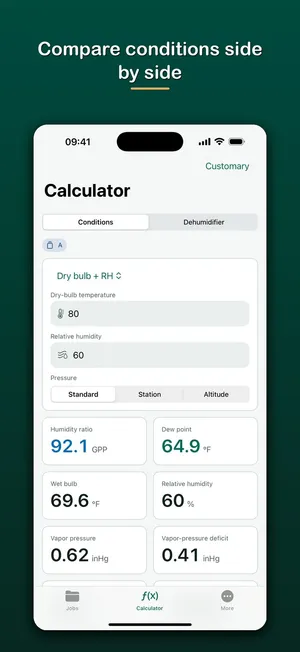
GPP, dew point and wet bulb, live
Enter dry bulb with RH, wet bulb, dew point or humidity ratio and read GPP, dew point, wet bulb, vapor pressure, enthalpy, specific volume and VPD as you type, at standard pressure, a station reading or your altitude.
- Same ASHRAE equations as the free GPP calculator on this site
- Customary or metric units
Two conditions and the dehumidifier side by side
Compare intake and exhaust, inside and outside, or two rooms, and see what a dehumidifier is pulling out from its airflow. Keep an equipment library, and a monitoring reminder tells you when the next visit is due.
Everything in the app
Psychrometric calculator
- Dry bulb with RH, wet bulb, dew point or humidity ratio
- GPP, grams per kilogram, dew point, wet bulb, vapor pressure, enthalpy, specific volume and VPD
- Standard, station or altitude pressure
- Two conditions side by side; dehumidifier water removal from airflow
Jobs and monitoring visits
- Jobs with drying zones and rooms; several jobs and their history
- Monitoring visits that copy the structure, never the values
- Moisture points with your own goals, material readings and moisture photos
- GPP and material trends across visits
- Equipment library and a monitoring reminder
Reports
- Room-by-room drying report as PDF or CSV
- Your company identity on the report
- Choose what each report includes
Who is it for?
- Water-mitigation technicians who take daily air and moisture readings
- Restoration company owners and project managers who send drying documentation to adjusters
- Crews that work in basements and crawl spaces with no signal
- Anyone who needs a quick GPP or dew point on site
What makes it different?
Built for the field, not the office
Everything works offline, from the calculator to the PDF, so a dead zone in a basement never stops the record.
Today’s readings are today’s
A new visit copies the rooms and points but never the numbers, so a report cannot carry yesterday’s values by accident.
Exact, documented math
The psychrometric engine uses the perfect-gas relations of ASHRAE Fundamentals, with no table interpolation and no silent clamping; impossible inputs are flagged instead of guessed.
Your criteria, your call
The app records readings against goals you set. It never declares a material dry or a job complete for you.
Free tools and guides
Requirements
- Devices
- iPhone and iPad
- iOS
- iOS 17.0 or later
- Internet
- Not needed; no account
- Units
- Customary (°F, GPP, inHg) or metric (°C, g/kg, kPa)
- Languages
- English, German, Spanish, Japanese, Portuguese
- Current version
- 1.0 · August 18, 2026
Neobile LLC · iOS 17.0 or later
Restoration Drying Calc is a calculation and documentation aid. It is not affiliated with, endorsed by or certified by IICRC, ANSI, AHAM or any manufacturer, does not replace professional judgment and does not establish a dry standard.
Questions people ask
How do I calculate GPP from temperature and RH?
Enter the dry-bulb temperature and relative humidity. The app finds the vapor pressure from the saturation pressure at that temperature, the humidity ratio from the vapor pressure, and multiplies by 7,000 grains per pound: 80 °F at 60 % RH is about 92.1 GPP at sea level.
Can I keep several jobs and their history?
Yes. Jobs are listed as active, completed or archived, with search, and each keeps its zones, rooms, visits, photos and readings for the report.
What goes in the drying report?
You choose: monitoring visits, material readings, equipment and photos, room by room, with your company identity. Export it as a PDF to send or as a CSV for a spreadsheet.
Does it work without a signal?
Yes. The calculator, job records, photos and reports all work offline, and there is no account.
Does the app decide when a material is dry?
No. You set the goal for each moisture point from your own reference readings and job protocol. The app tracks readings against those goals and never certifies a dry standard.
Can it estimate what a dehumidifier is removing?
Yes. Enter the intake and exhaust conditions and the process airflow; the app shows the grain depression and the water removed per day in pints and liters. The result is signed, so an exhaust wetter than the intake shows as a negative.


