Free printable · FluencyCalc: Running Record
Running record template (free printable PDF)
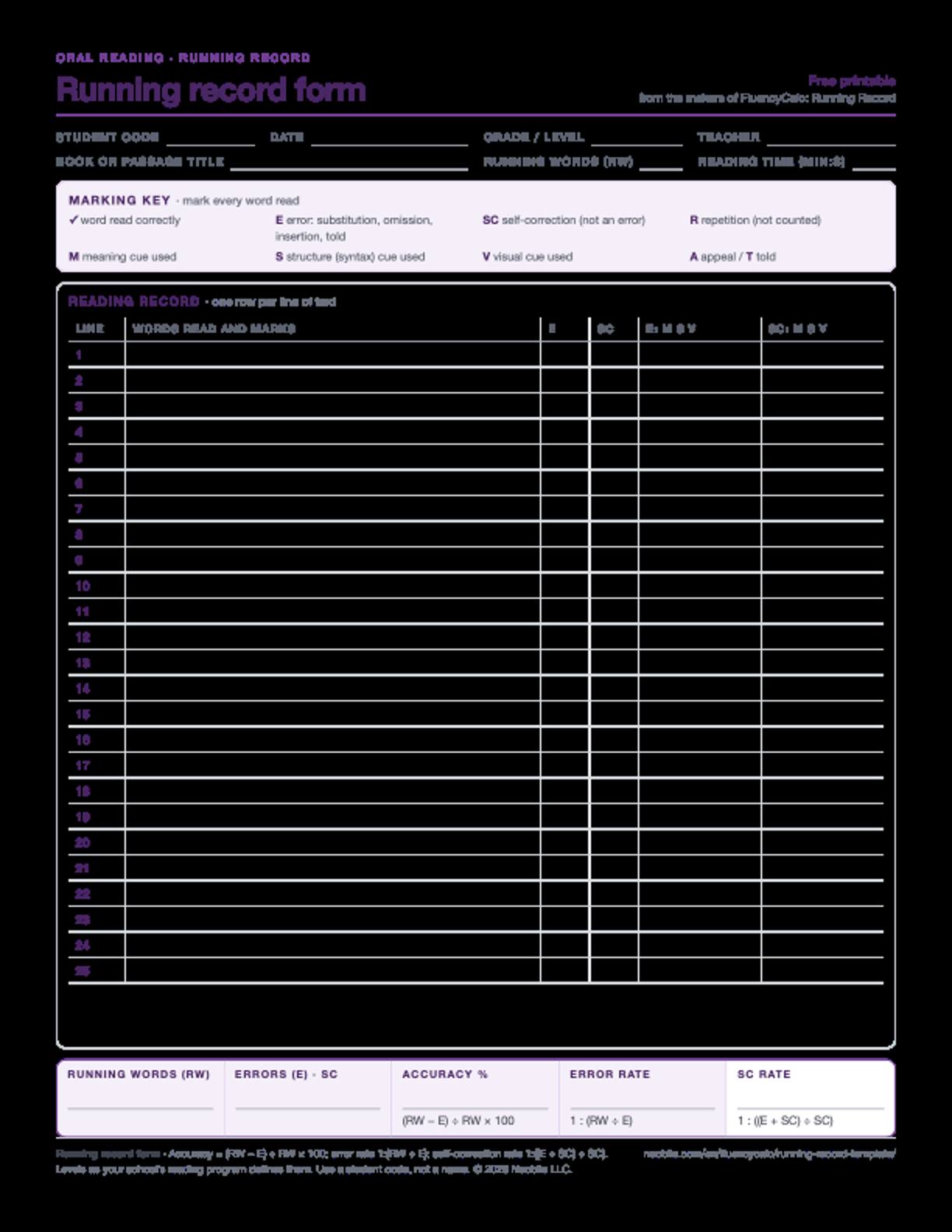
A running record form needs the running words, one row per line of text to mark errors (E) and self-corrections (SC), cue columns for meaning, structure and visual information, and a summary: accuracy = (RW − E) ÷ RW × 100, error rate 1:(RW ÷ E) and self-correction rate 1:((E + SC) ÷ SC). Download the one-page PDF below.

FluencyCalc: Running Record
Running records and WCPM, scored when the timer stops
Free to download for iPhone, iPad and Android.
Download the form
One portrait page with twenty-five numbered lines, a marking key at the top and the three scoring formulas printed in the summary box, so nobody has to remember them at the end of a busy day.
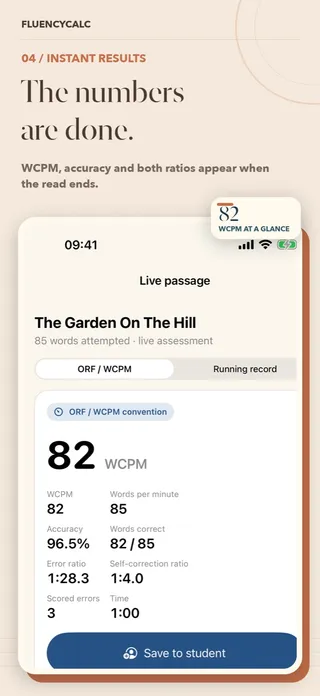
Download the PDFFluencyCalc: Running Record marks the same read on the phone instead: tap each error as it happens, and accuracy, both rates and the level band are ready when the timer stops.
How to take the record
- Before reading. Count the running words in the passage (or the part you will use) and write them at the top. Use a student code rather than a name if the sheet will leave your classroom.
- While the student reads. Mark every word: a check for each correct word, the substituted word above the text word for an error, a dash for an omission, SC when the student fixes a word without help, R for a repetition, T when you tell a word.
- Right after. Count errors and self-corrections per line into the E and SC columns. If your program uses cue analysis, circle M, S or V for what the student seemed to use on each error and self-correction.
- Score it. Fill the summary box with the three formulas printed there, then note the level band your program uses.
Worked example
A second grader reads a 150-word passage with nine errors and three self-corrections. Accuracy is (150 − 9) ÷ 150 × 100 = 94%, which falls in the instructional band at the common 95/90 cut points. The error rate is 1:16.7, one error every 16.7 words, and the self-correction rate is 1:4.0: the student fixed one of every four miscues. Repetitions are noted on the line but change none of the numbers.
Those are the same formulas the free running record calculator on this site uses, and the same ones FluencyCalc applies in its running-record convention, where insertions count as errors and self-corrections feed the self-correction rate.
Paper or app?
Paper is quick to start and keeps cue analysis next to the words, which many reading teachers value. Its weak points are the arithmetic at the end and keeping records together over a year. The app removes both: you tap words during the reading, the scores appear at once, and each record joins the student’s history with a chart. Plenty of teachers do both, using the app for the numbers and this form when they want to study the miscues in detail.
Questions people ask
What is on a running record template?
Space for the student, date, book or passage and its running words, a marking key, one row per line of text with columns for errors, self-corrections and the cues used (meaning, structure, visual), and a summary box for accuracy, error rate and self-correction rate.
How do I score a running record?
Accuracy = (running words − errors) ÷ running words × 100. Error rate = 1:(running words ÷ errors). Self-correction rate = 1:((errors + self-corrections) ÷ self-corrections). For 150 running words, 9 errors and 3 self-corrections: 94% accuracy, an error rate of 1:16.7 and a self-correction rate of 1:4.0.
What accuracy is independent, instructional or frustration level?
Many programs use 95% and above for independent and 90–94% for instructional, with below 90% as frustration; those are also FluencyCalc’s default cut points, and you can change them in the app to match your program.
Do repetitions and self-corrections count as errors?
Not on this form. A repetition is not counted, and a self-correction is recorded in the SC column rather than as an error. Insertions, substitutions, omissions and told words are errors in the running-record convention.
Can I do running records on an iPad instead of paper?
FluencyCalc lets you tap words as the student reads, then gives accuracy, error rate, self-correction rate and the level band at the end, saved to the student with a growth chart. Cue analysis (MSV) is not in the app, so teachers who use it keep this form for that part.
