Siri, shortcuts, and watch apps compared
How to use an AI chatbot on Apple Watch (and what about ChatGPT?)
There is no official ChatGPT app for Apple Watch, but you can still get AI answers on your wrist. Newer watches can try Siri AI with a supported iPhone nearby, some people build a shortcut that calls an AI service, and independent watch apps let you tap, dictate a question, and read a short answer on the watch itself.
AI answers can be wrong or out of date. Check anything important, and never dictate passwords, health details, or other sensitive information into a chatbot.
An Apple Watch app · no account needed
01 / What actually works
Four ways to get AI answers on Apple Watch
“AI on Apple Watch” can mean several different things. Some options are built into watchOS, some need a particular iPhone, and some are separate apps. Before you choose, decide what matters most to you: working away from your phone, speaking instead of typing, hearing the answer, or continuing a conversation.
Classic Siri
Press and hold the Digital Crown, or use Raise to Speak where supported, and ask. Siri is quick for timers, messages, weather, and simple facts, and works on every Apple Watch.
Siri AI
Apple’s more conversational Siri reached Apple Watch in September 2026 as a beta. It requires Series 9 or later, Ultra 2 or later, or SE 3, plus an Apple Intelligence iPhone nearby, and starts in English only.
A shortcut to an AI API
In the Shortcuts app you can build a shortcut that sends dictated text to an AI provider and shows the reply, then turn on Show on Apple Watch. You manage the API key, any usage charges, and the setup yourself.
A dedicated watch app
Independent apps put a chat interface on the watch with dictation, short answers, read-aloud, and a complication. They differ in which AI provider they use, what they send, and what they charge for.
None of these is right for everyone. If you already own a watch and iPhone that support Siri AI and you mostly stay near your phone, try it first. If your watch is older, you often leave the phone behind, or you want answers written specifically for a small screen, a dedicated app is the practical route.
Siri AI requirements come from Apple’s Siri AI availability page and the Apple Watch User Guide for watchOS 27. Shortcut steps follow Run shortcuts from Apple Watch.
02 / The question most people search
Is there a ChatGPT app for Apple Watch?
No. As of September 2026, OpenAI’s ChatGPT listing in the US App Store shows compatibility with iPhone, iPad, and Apple Vision Pro, and does not list Apple Watch. So when you search the watch App Store for “ChatGPT,” the results are independent apps from other developers.
That is not a problem in itself, but it does mean you should read each listing carefully. An independent app may use a model from OpenAI, from another AI company, or from several providers, and it may ask you to bring your own API key or to pay for its own plan. A good app tells you plainly where your question goes.
What to check before installing a watch chatbot
- Does it run on the watch itself, or only as a remote for an iPhone app?
- Can you speak your question, and can it read the answer aloud?
- Does it offer a watch-face complication for one-tap access?
- Are answers written short enough to read on a small screen?
- Can you ask a follow-up without starting over?
- Does it need an account or your own API key?
- Does the privacy information say who receives your question and what is kept?
03 / Step by step
How to set up an AI chatbot app on Apple Watch
These steps use AI4Watch as the example, but the same pattern applies to most watch chat apps. AI4Watch is an Apple Watch app with no iPhone app, and it requires watchOS 10.6 or later.
- Install it on the watch
Open the App Store on Apple Watch, tap Search, and dictate or scribble the app name, or open the App Store link on this page. Double-click the side button to confirm the download.
- Make sure the watch can reach the internet
The AI runs in the cloud, so the watch needs a connection through its paired iPhone, a known Wi-Fi network, or its own cellular plan.
- Read the data notice once
The first time you ask, AI4Watch explains what is sent and where it goes, and asks you to confirm you are 13 or older. Tap “I’m 13+ and I Agree” to continue, or “Not Now” to leave without sending anything.
- Add the complication
Touch and hold the watch face, tap Edit, swipe to the complications screen, select a slot, and turn the Digital Crown to choose AI4Watch. Tapping it opens the app straight to the question prompt.
- Pick a voice if you like
In AI4Watch Settings, Voice is set to “Match the answer” by default. You can choose a specific installed voice instead.
Installation and complication steps follow Apple’s Get apps on Apple Watch and Add complications to the watch face. Connection options are described in Use your Apple Watch without your iPhone nearby.
04 / Getting useful answers
How to ask AI good questions on a small screen
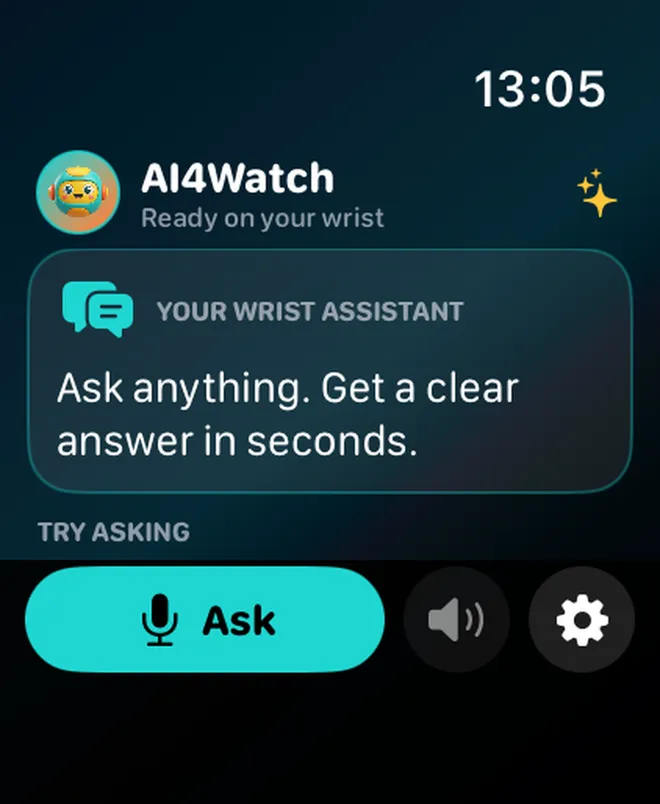
A watch screen holds a few dozen words at a time, so the best watch questions are specific and the best answers are short. AI4Watch asks its AI service for plain-text answers of about 70 words or fewer, but how you phrase the question still makes a big difference.
Say exactly what you need
“How long do I boil a large egg for a runny yolk?” works better than “eggs.” Dictation understands spoken punctuation, such as “question mark.”
Ask for a format
Add “in one sentence,” “as three steps,” or “yes or no, then why” so the answer fits a glance.
Follow up instead of restarting
“Why?”, “give me an example,” or “make it shorter” builds on the last answer when the app keeps conversation context.
Good wrist-sized uses include quick conversions, a fact you want settled at dinner, a word you need translated while traveling, a sanity check on a recipe step, or an explanation of something you just heard. Questions that need long reasoning, live data, or a detailed comparison are usually better on a larger screen.
Language works in your favor. AI4Watch answers in the language you ask in, so you can dictate a question in Spanish on a watch set to English and get a Spanish answer. When you tap the speaker button, it reads the answer in a voice that matches that language, if one is installed on the watch.
Dictation tips and input options come from Apple’s Enter text on Apple Watch.
05 / Before you ask
Privacy and safety when you talk to AI on your wrist
With any cloud chatbot, the text of your question has to leave the device so a model can answer it. Know where it goes. In AI4Watch, Apple handles dictation and returns text to the app; the audio is not sent to Neobile or Groq. The question text, plus the recent turns of a conversation you are continuing, travels over an encrypted connection to Neobile’s proxy, which forwards it to Groq to generate the answer.
According to the AI4Watch privacy policy, the proxy does not write questions or answers to a database, and Groq may log inputs briefly under its own policy. There is no account, no advertising, and no cross-app tracking. Saved conversations stay on the watch and are deleted when you clear history or delete the app.
Habits worth keeping with any AI chatbot
- Leave out names, passwords, addresses, health details, and financial information.
- Treat medical, legal, and financial answers as general information only.
- Double-check numbers, dates, and anything you will act on.
- If you or someone else may be in danger, contact local emergency services, not an app.
Data handling is described in the AI4Watch privacy policy and in the notice shown before the first question.
A chatbot built for the watch
Ask, glance, and listen with AI4Watch
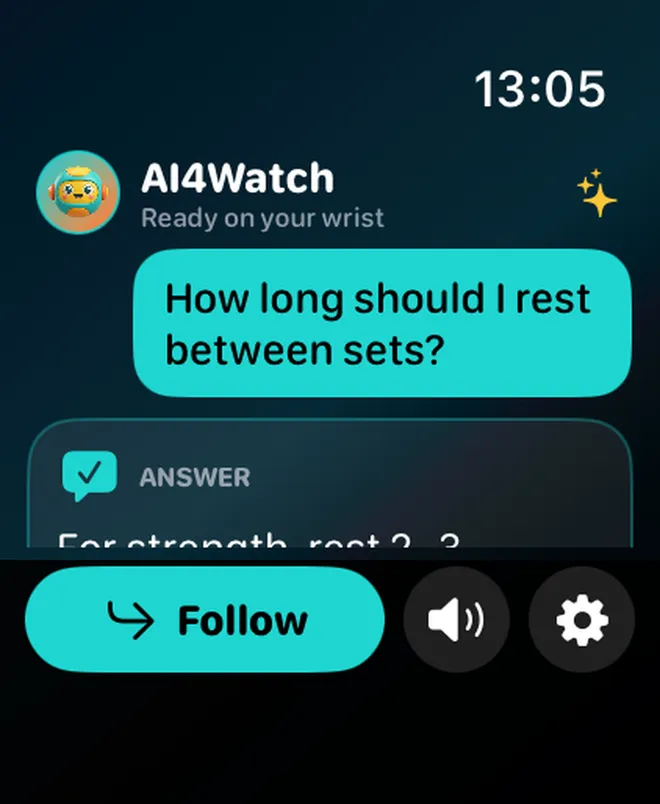
AI4Watch is a small, focused AI chat app that runs on Apple Watch. Tap Ask or the complication, speak or scribble a question, and read a short answer written for a watch screen. Six Quick Asks — Explain, Reply, Convert, Sum Up, Decide, and Ideas — help you start in one tap. You can write your own Quick Ask, pin it to the watch face, and continue with follow-up questions that remember the topic.
AI4Watch is free to download and includes a few questions every day. An optional in-app purchase adds ongoing follow-up conversations, saved history with favorites, automatic read-aloud, and a much higher daily limit.
- Runs on Apple Watch · watchOS 10.6 or later
- Dictation, Scribble, or keyboard input
- Answers in the language you ask in
- Tap-to-listen with a voice matched to the answer
- Quick Ask and Ask complications for the watch face
- No account and no ads
An Apple Watch app · no account needed

For people 13 and older. AI can make mistakes, so check important answers.
Frequently asked questions
AI chatbot on Apple Watch FAQ
Is there an official ChatGPT app for Apple Watch?
Not as of September 2026. In the US App Store, OpenAI’s ChatGPT app lists iPhone, iPad, and Apple Vision Pro compatibility, but not Apple Watch. Apps that bring AI chat to the watch are made by independent developers, and each one chooses its own AI provider.
Can I use an AI chatbot on Apple Watch without my iPhone nearby?
It depends on the method. Siri AI on watchOS 27 needs a supported Apple Intelligence iPhone nearby. A standalone watch app can work away from the phone as long as the watch has its own Wi-Fi or cellular connection, because the question still has to reach an AI service over the internet.
Which Apple Watch models can use Siri AI?
Apple lists Apple Watch Series 9 or later, Apple Watch Ultra 2 or later, and Apple Watch SE 3, with watchOS 27 and an Apple Intelligence iPhone nearby. It is a beta, English only to start, and not available in the EU on watchOS at launch.
How do I type a question to AI on Apple Watch?
Most watch chat apps use the standard watchOS text input, so you can dictate, draw letters with Scribble, or use the onscreen keyboard. Apple notes that the keyboard is not available in every language or on Apple Watch SE 3, and Scribble is not available in every language.
Can an AI app read answers aloud on Apple Watch?
Many can. In AI4Watch, tap the speaker button to hear the current answer. The app picks an installed voice that matches the answer’s language, and you can choose a specific voice in Settings. Extra voices are added in the watch’s Accessibility settings.
Is it safe to ask a watch chatbot personal questions?
Treat any cloud chatbot like a public search box. Your question text leaves the watch so the AI can answer it, so don’t include names, passwords, health details, or financial information. For medical, legal, or money decisions, use the answer as general information and check with a qualified person.
Does AI4Watch use ChatGPT?
No. AI4Watch is an independent Neobile LLC app. Its in-app notice explains that your question is sent through Neobile’s proxy to Groq to generate the answer. AI4Watch is not affiliated with or endorsed by OpenAI, Apple, or Groq.
AI4Watch is an independent product of Neobile LLC. It is not affiliated with, authorized by, or endorsed by OpenAI, Apple, or Groq. ChatGPT is a trademark of OpenAI. Apple Watch, Siri, watchOS, and Apple Intelligence are trademarks of Apple Inc. Other names belong to their respective owners. AI-generated answers can be inaccurate; they are not professional medical, legal, or financial advice.