My Mood Mosaic / simple mood tracking
How to make a year in pixels for your mood
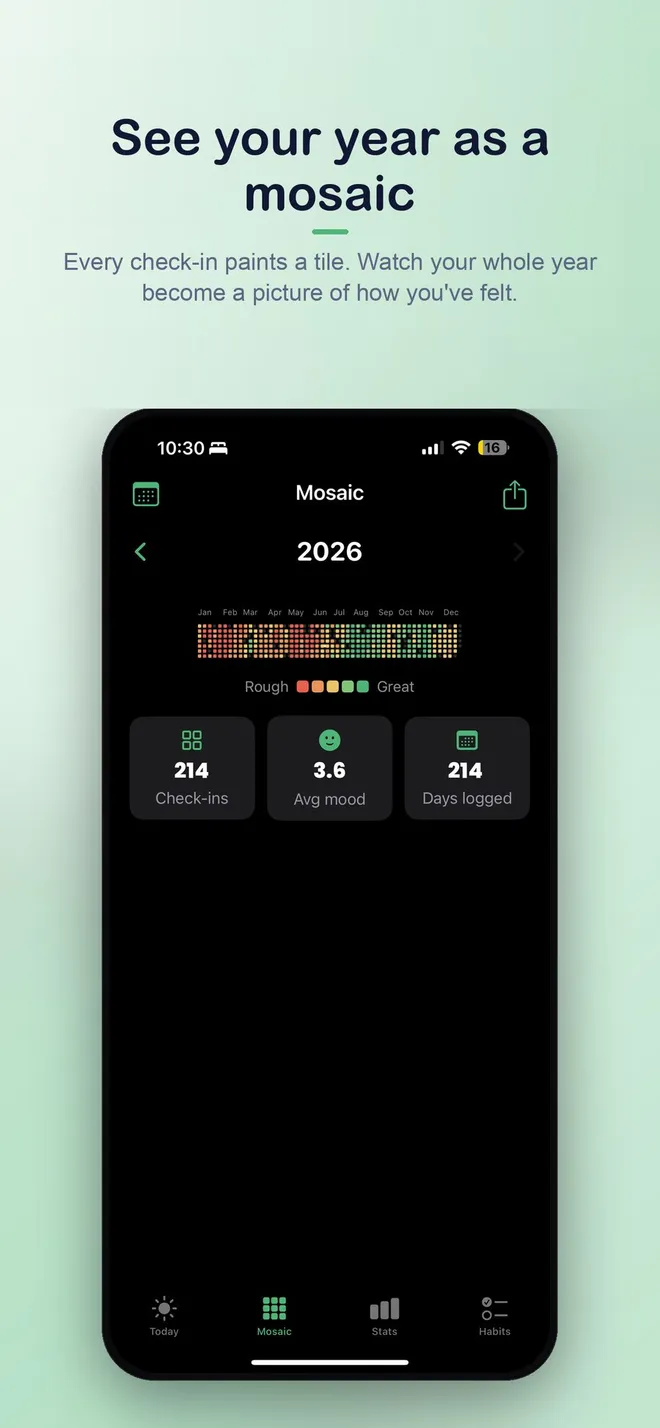
Pick a mood each day and let that check-in color one tile in your year. Add a short note or habits when useful, then look across weeks and months for patterns rather than judging any single day.
The goal is an honest personal record, not a perfect streak. More than one check-in is fine when a day changes.
Private mood and habit check-ins
01 / Practical steps
Make the first check-in small enough to repeat
A year in pixels works because the daily action is tiny. Choose the mood that best fits this moment. If a word or short note explains it, add one; if not, save the tile and move on. You do not need to write a diary entry to make the year useful. The visual pattern grows from ordinary days as well as memorable ones.
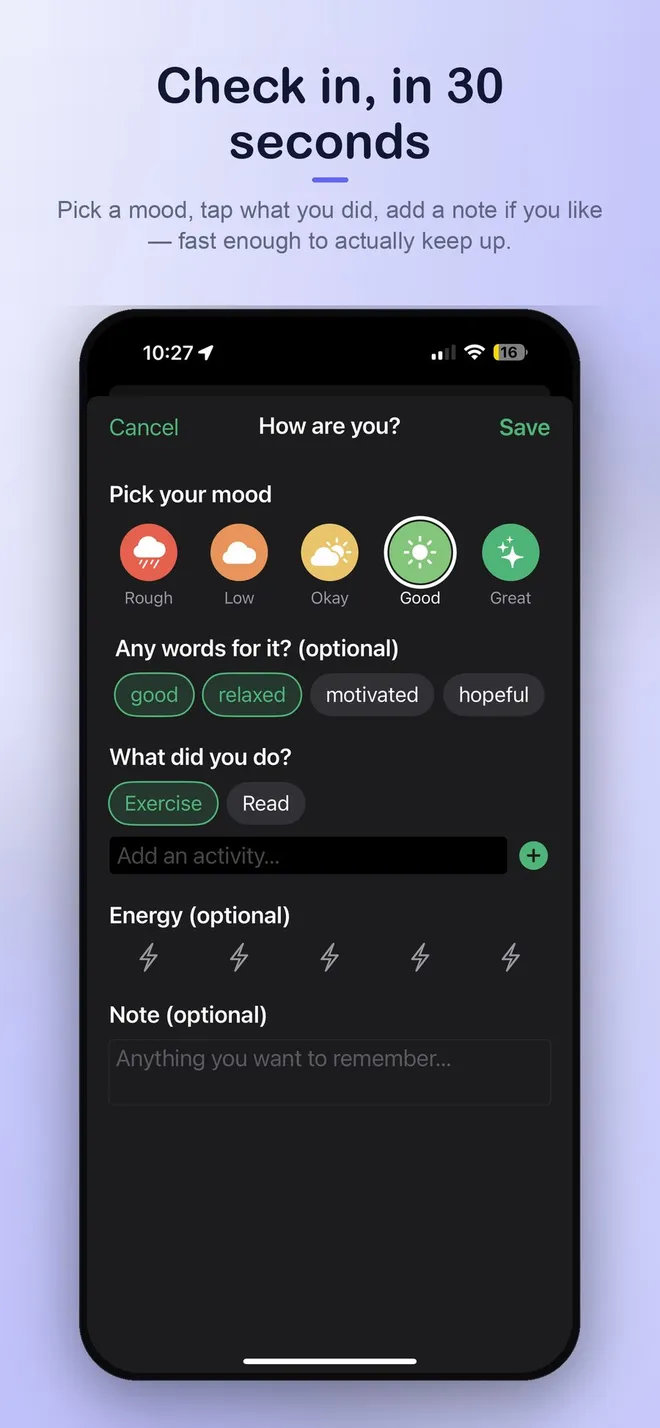
My Mood Mosaic lets you select a mood, related emotions, and habits, with an optional note. The check-in can take about half a minute. You can record more than once on a day that changes, so an early rough moment does not have to stand for the entire day.
- Pick the mood that fits now.
- Add an emotion, habit, or note only if it helps.
- Save and let the tile appear in the mosaic.
02 / Practical steps
Track context without blaming a single habit
If you want to learn from the mosaic, note a few recurring activities: sleep routine, time outside, exercise, social time, or whatever matters to you. Keep the list short and personal. A habit beside a good day may be a clue worth exploring, but it does not prove that the habit caused that mood.
A short note can capture an exception such as travel, illness, or a major deadline. Later, when you tap a tile, that context helps you remember the day behind the color. Avoid turning the tracker into a grading system; the value is noticing, not scoring yourself.
Use the real app
My Mood Mosaic
Choose a mood, add emotions and habits if you like, and let each check-in paint a tile in your year. Return to see your own patterns over time.
Private mood and habit check-ins

Choose a mood, add a note or related habits, and log more than once when a day changes.
03 / Practical steps
Look for patterns across time
After a week or month, scan the mosaic for clusters and changes. Were difficult days consecutive, or scattered? Did the same activity often appear beside better days? Are weekends different from workdays? These questions are more useful than drawing a conclusion from one tile.
The app offers gentle weekly and monthly recaps and habit views. On supported newer devices it can use Apple Intelligence for a recap; a built-in recap is available elsewhere. Treat any summary as a prompt to reflect on your own record, not as a diagnosis or a prediction.
04 / Practical steps
Let missed days stay missed
A blank tile is just a blank tile. Resume with today rather than reconstructing a week from memory. If daily reminders help, choose a quiet time when you already pause; if they add pressure, leave them off. A mood tracker should be easy to return to even after a break.
My Mood Mosaic keeps check-ins on your device, with no account or server. You can export your data when you want a copy. The private, low-friction design makes it practical to keep a year in pixels without making the app another obligation.
Frequently asked questions
Year in pixels FAQ
What is a year in pixels mood tracker?
It is a calendar where each day is shown as a colored tile for a mood check-in, making a year of changes visible at a glance.
Do I need to log only once per day?
No. My Mood Mosaic lets you log more than once when your mood changes.
What should I do after missing a few days?
Simply resume today. You do not need to invent remembered moods for the blank days.
Does the app diagnose mental health conditions?
No. It is a personal reflection and habit-tracking tool, not a diagnostic or treatment service.
Mood tracking is for personal reflection and is not a medical assessment or treatment.