Capybara Arena / beginner strategy
How to build a better auto-battler squad
Build a balanced squad of five, then improve it one choice at a time. Buy teammates that support the same plan, merge three matching friends when available, and watch each fight to see what the team needs next.
You can try different combinations in Practice before climbing the Ladder.
Cute auto-battler for iPhone and iPad
01 / Practical steps
Start with a team that can survive a full fight
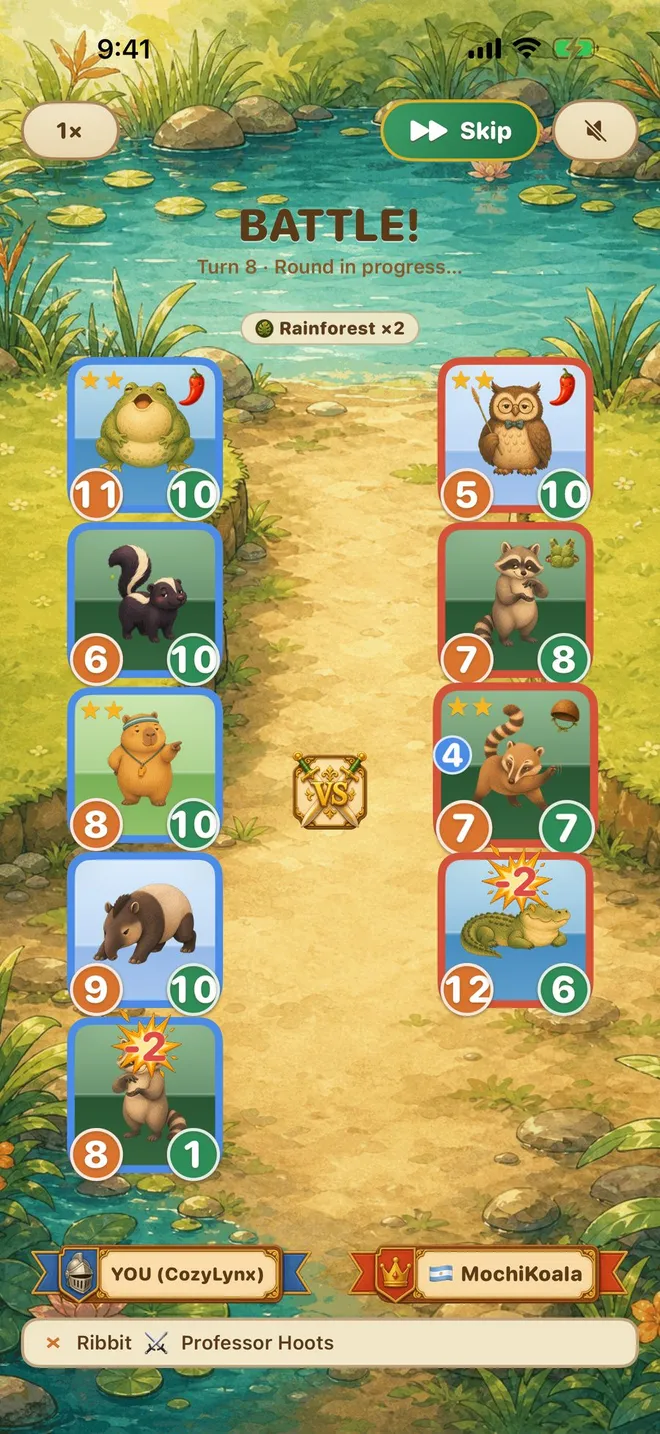
An auto battler asks you to make the important decisions before combat. In Capybara Arena, choose friends in the shop, place a squad of five, and let the battle play out. Your first goal is a lineup that can stay on the board long enough for its strengths to matter. A team made only of exciting attackers may disappear before it can use them.
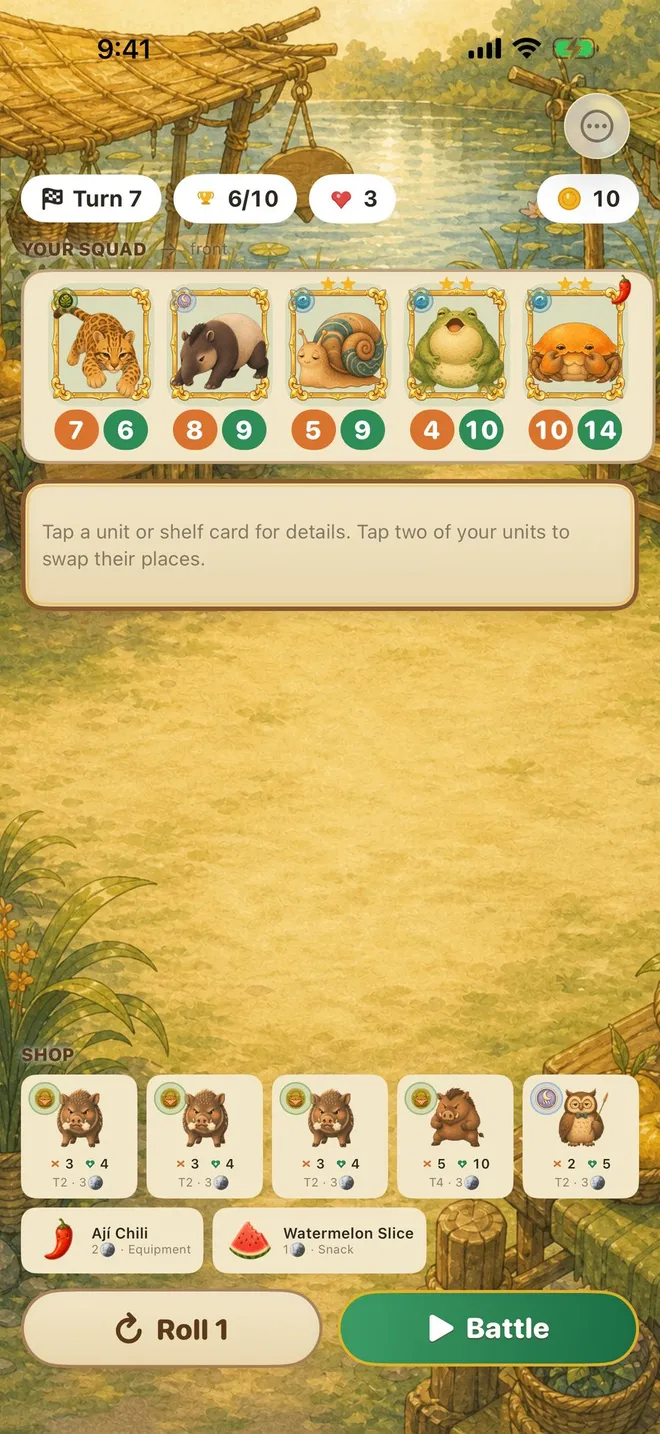
Look at what each friend contributes, then decide whether the next shop purchase fills a missing role or makes an existing pairing stronger. Use the first few battles to learn the rhythm of shop, placement, battle, and improvement rather than to memorize a single winning build.
- Fill the board with a useful five-friend team.
- Choose one direction for the team.
- Keep enough staying power to let your damage matter.
02 / Practical steps
Merge matching friends without weakening your next battle
Collecting three of a kind makes a stronger merged friend. That creates a satisfying power jump, but the timing matters. If buying a duplicate leaves a valuable board position empty, consider whether the next battle needs a complete team first. A merge is most useful when the stronger unit fits the plan you are already building.
The game shows a clear merge moment, so you can tell when the upgrade happened. Afterward, compare how the team performs: does the stronger friend survive longer, or would a different supporting teammate make more difference? This observation is more useful than blindly buying every matching piece.
Use the real app
Capybara Arena: Auto Chess
Choose your friends in the shop, place them on the board, merge three of a kind, and watch your team fight. Short runs make it easy to try a new lineup.
Cute auto-battler for iPhone and iPad

Choose from animal families, adjust your lineup in the shop, and see how different teammates work together.
03 / Practical steps
Use the battle as feedback
Watch where your squad loses momentum. If a key friend falls immediately, change placement or buy protection. If several teammates remain but the fight takes too long, look for a better source of damage. If a combination works well, note which friend made the difference and build toward that pairing in the next shop.
Change one main variable between battles. That way you can tell whether a new friend, merge, or board arrangement helped. This is a simple way to learn any auto battler, and it keeps short runs fun instead of turning every decision into homework.
04 / Practical steps
Practice a lineup, then take it into Ladder
Practice is a good place to learn how teammates interact. The Ladder gives the same decisions more momentum across a run, while Endless Challenge lets you keep testing how long a strategy holds up. Treat new friends in the shop as options for your plan, not mandatory purchases.
When a run ends, remember one reason the squad worked and one reason it stalled. On the next run, try one different opening or merge path. The game is built for these quick experiments: assemble, watch, learn, and try again.
Frequently asked questions
Capybara Arena strategy FAQ
What is an auto battler?
It is a strategy game in which you choose and position a team, then the combat plays automatically. The interesting choices happen in the shop and on the board between fights.
How many friends are on a Capybara Arena squad?
You build a team of five friends. The shop and placement choices determine how that team enters the next fight.
How do merges work?
Three matching friends can become a stronger merged friend. Decide whether the merge helps your current lineup before spending on duplicates.
Where should a beginner start?
Start in Practice to try a few team combinations before climbing the Ladder.
Game modes and available friends can evolve with app updates.